
- Home
- Online booking system
Online booking system Online booking system for fitness businesses
Members see live spaces, book classes and appointments, and pay in one step from your app or booking page. Waitlists, reminders and no-show rules run themselves.
30-day free trial · No credit card required · Live within 24 hours
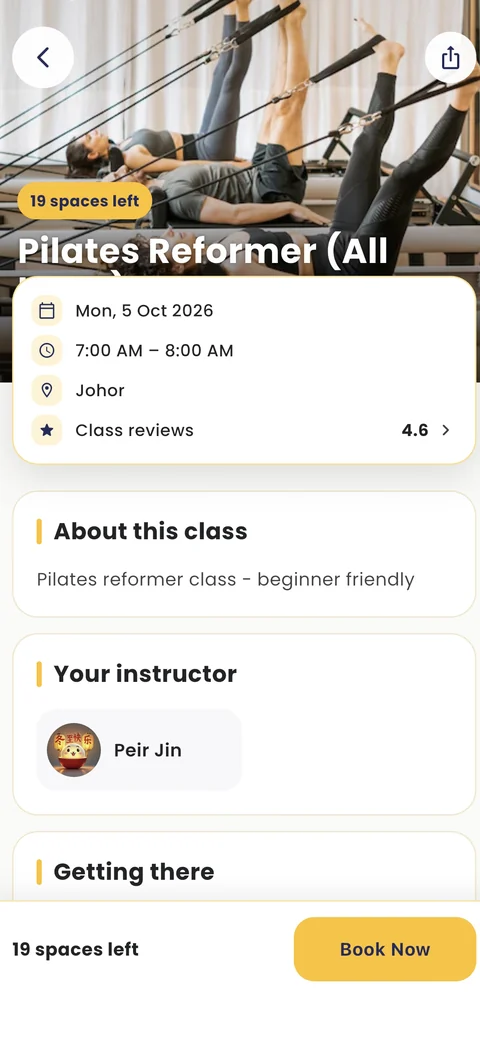
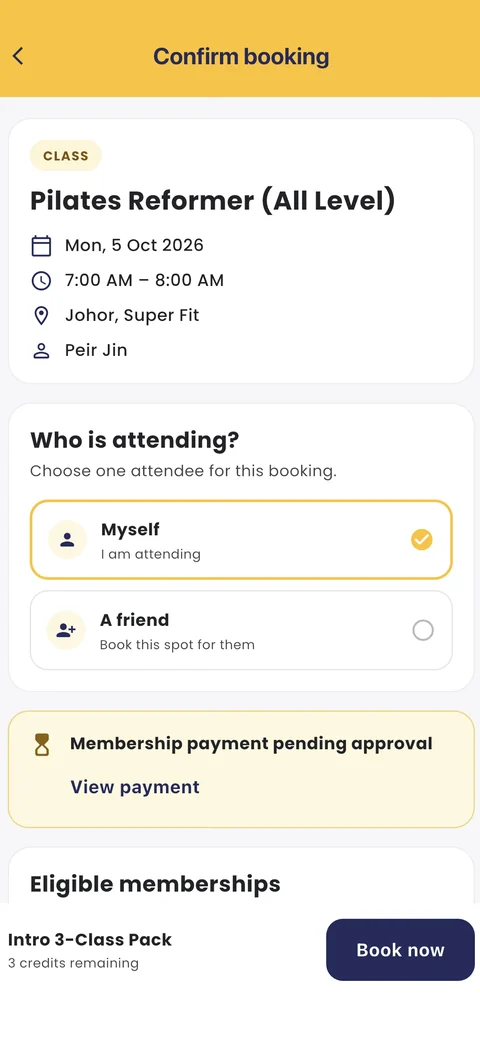
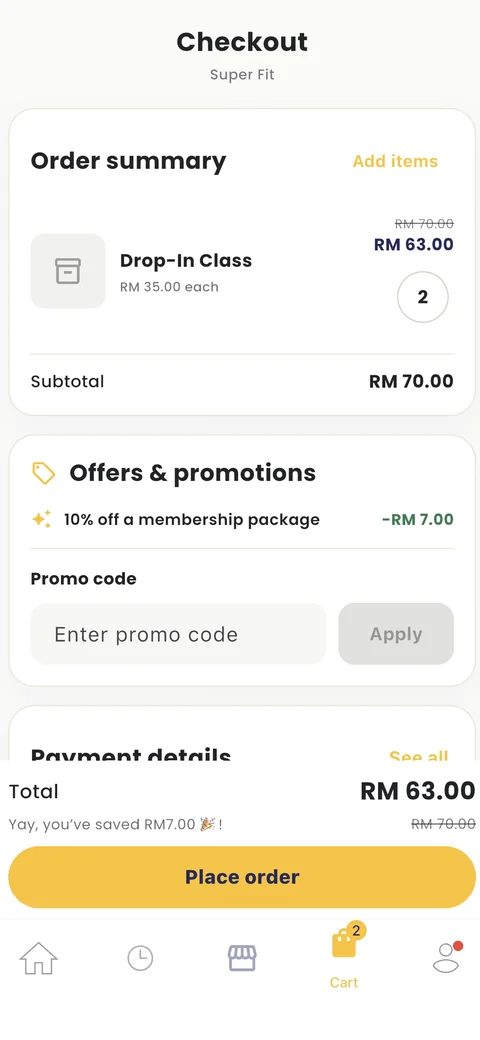











A cancellation at 6pm. A full class at 7:30.
When a member cancels, the next person on the waitlist gets the spot and a notification. Nobody has to message you to ask if there is space.
- Live spaces in the app and on your booking page
- Waitlists move up on their own
- Late-cancel rules applied for you



What changes when bookings run on Fitnow
The three booking jobs owners tell us take up their day, and what happens to them after the switch.
-
Studio ownerBefore switching
Is there space at 7pm tomorrow? Can I bring a friend? Can I change to Thursday?
Members book themselves, any time
Members see live spaces and book, change or cancel in the app or on your booking page, inside the rules you set.
-
Studio ownerBefore switching
Two people turned up for the same spot because I wrote one of them down wrong.
One calendar, no double bookings
Classes, appointments and private sessions share one calendar with capacity limits, so a full class stops taking bookings.
-
Studio ownerBefore switching
Half the people who booked Saturday never came, and the waitlist did not know.
Waitlists and no-show rules built in
Cancelled spots go to the waitlist automatically, reminders go out before class, and late-cancel or no-show rules apply for you.
What is an online booking system for a fitness business?
An online booking system lets members see your timetable, book a class or appointment and pay without messaging you. In Fitnow, bookings, payments, memberships and check-in are connected, so every booking is checked against the member's pack or membership automatically.
- Class, appointment and private session booking
- Payment at booking with a pack, membership, card or e-wallet
- Automatic waitlists, reminders and no-show rules
- QR or face scan check-in against each booking
Everything your booking system should do
-
Class and appointment booking
Group classes, personal training and private sessions in one calendar. Members book in the Fitnow member app or on your booking page.
Class scheduling -
Pay when they book
Members pay with a class pack or membership, or by card, GrabPay or Touch 'n Go as they book.
Payments -
Waitlists that fill themselves
When someone cancels, the next person on the waitlist is moved in and notified.
-
Reminders and no-show rules
Reminders go out before class. Late-cancel and no-show rules are applied the same way for everyone.
-
Family and friend booking
Parents book for their children from one account, and members can book for someone else.
-
Check-in against the booking
Members check in with a QR code or face scan, and attendance is recorded against their booking.
-
Every plan also includesSee it in a demo
And everything else you need to run the day
Owners who want more than just booking
Studios, gyms and wellness centres run their classes, payments and members on Fitnow.
The platform is easy to use and our clients love the convenience of online booking.

As a fitness business owner, discovering Fitnow was a game-changer. Transitioning from manual processes, it elevated my business, making management significantly more streamlined.

Fitnow provides clear insights into my business's performance, their customer support is prompt and incredibly helpful.

The booking system is intuitive and our members love the seamless experience.

From demo to your first online booking
Four steps, and our team is with you for every one of them.
-
You and us
Book a free demo
We walk through Fitnow using your own classes and packages.
-
Our team
We set you up
Our team helps you onboard and set up your studio.
-
You
Add classes and packages
Manage your schedules, classes and membership packages.
-
Your members
Share your booking link
Members start booking and paying online straight away.
Questions about online booking
Straight answers to the questions owners ask us most.
 Fitnow teamHere to help
Still have a question? Ask us anything about features, pricing or moving your members over.
We reply in EnglishBM中文
Chat with us on WhatsAppWhat is the best booking system for a fitness studio?
The best booking system is one that also handles payments, memberships and check-in, so you are not copying bookings between tools. Fitnow does all of this in one system, with a member app, waitlists and no-show rules included in every plan.
Can members book and pay online at the same time?
Yes. Members pay with a class pack or membership, or by credit card, GrabPay or Touch 'n Go, in the same step as booking.
Can customers book appointments as well as classes?
Yes. Personal training, private sessions and other appointments sit in the same calendar as your group classes.
How do I move from WhatsApp bookings to an online booking system?
Set up your timetable and packages, import your members, then share your booking page and app link with them. Fitnow is live within 24 hours, and our team moves your members over at no cost. Our comparison of booking systems and WhatsApp booking covers the switch.
Does the booking system handle waitlists and no-shows?
Yes. Waitlists move people up automatically, reminders go out before class, and your late-cancel and no-show rules are applied for you.
Does it work for more than one location?
Yes. Pro covers up to 3 locations, and Enterprise covers unlimited locations, from one dashboard.
How much does the Fitnow booking system cost?
Pro is RM150 a month billed annually or RM199 month to month, with SST included. There is no setup or migration fee, and every plan starts with a 30-day free trial.
Booking for every kind of fitness business
See how booking works for your type of business, or explore the rest of Fitnow.


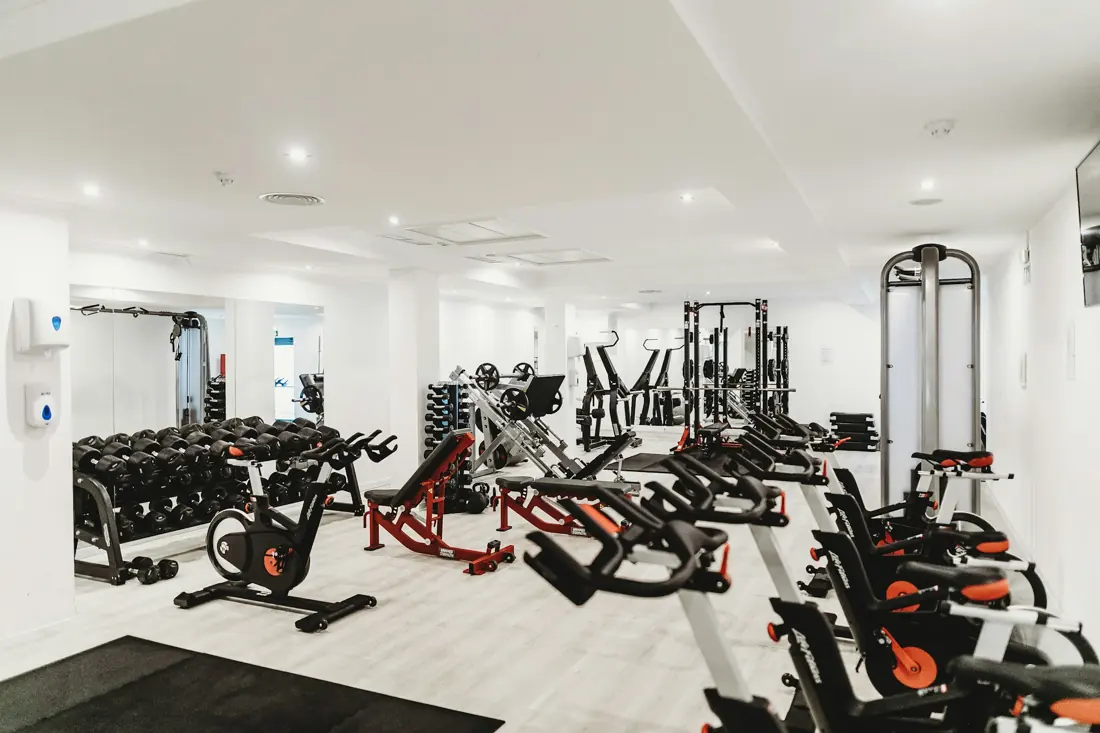
See Fitnow with your own timetable
Join the studios, gyms and wellness centres that run their business on Fitnow.
- We show you booking, packages and payments set up like your business.
- Ask anything about moving your members over.
- Support in English, Bahasa Melayu and 中文.
- No obligation. Start a 30-day free trial whenever you're ready.